Integrations
Integration
Connect Directus with Vercel to trigger deployments, monitor build status, and manage your frontend projects directly from your Directus instance.
Connect your Directus instance with Vercel to centrally manage deployments, monitor build status, and control multiple frontend projects — all without leaving Directus.
Quick Start
- Enable Deployment module: Enable the Deployment module from your Directus project settings
- Connect your Vercel account: Navigate to the Deployment module and add your Vercel API token
- Add projects: Connect one or more Vercel projects to your Directus instance
- Start deploying: Trigger builds and monitor deployment status from Directus
Getting Started
Connect Your Vercel Account
- In Directus, navigate to Settings
- From the Modules section, enable the Deployment module
- Navigate to the Deployment module now shown in the primary navigation
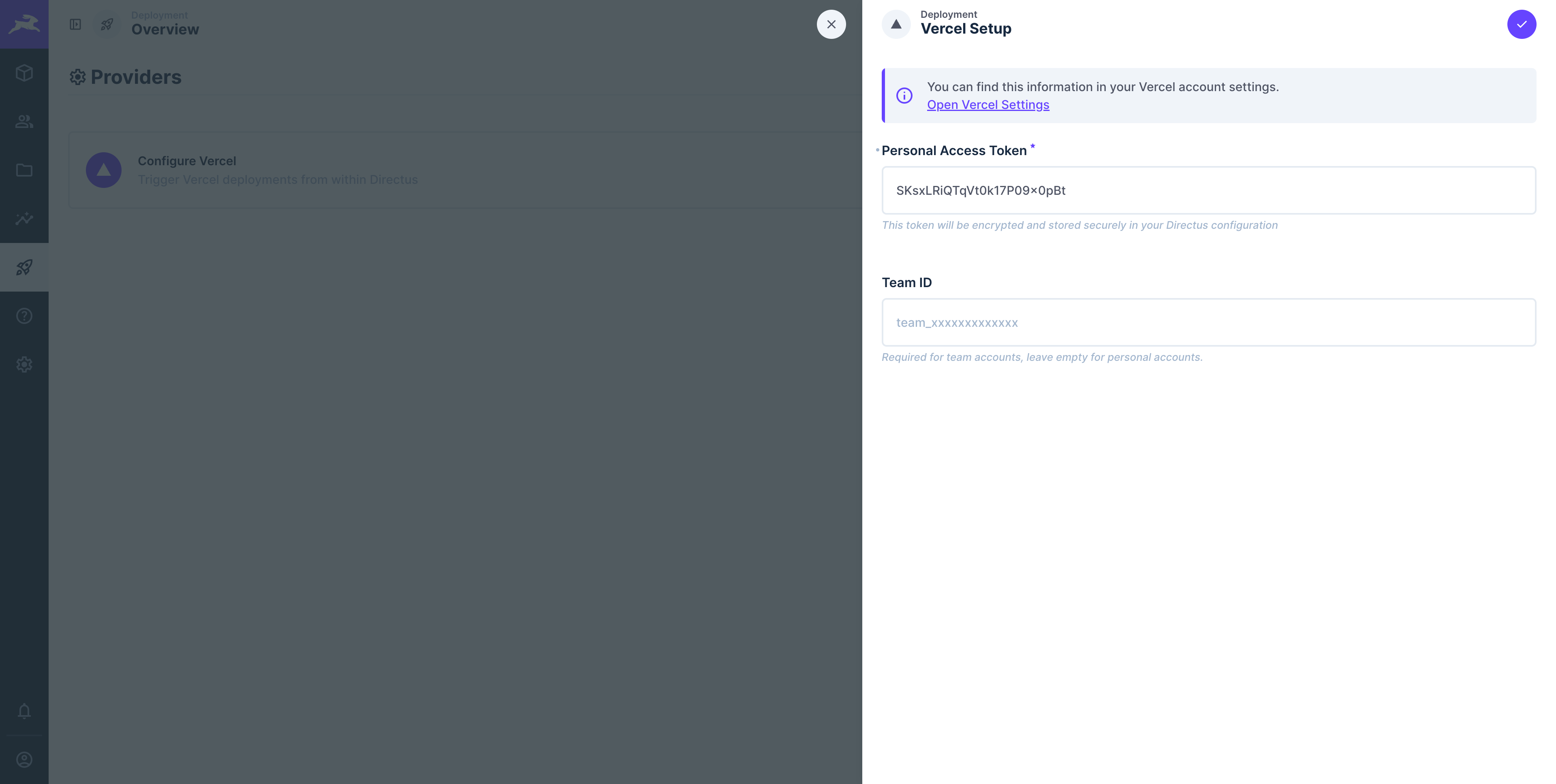
- Select Configure Vercel to begin the integration
- Personal Access Token: Your Vercel API access token
- Team ID (optional): Add your Team ID if you want to deploy team projects rather than personal projects
- Click Save to establish the connection and begin adding projects
Configure Projects
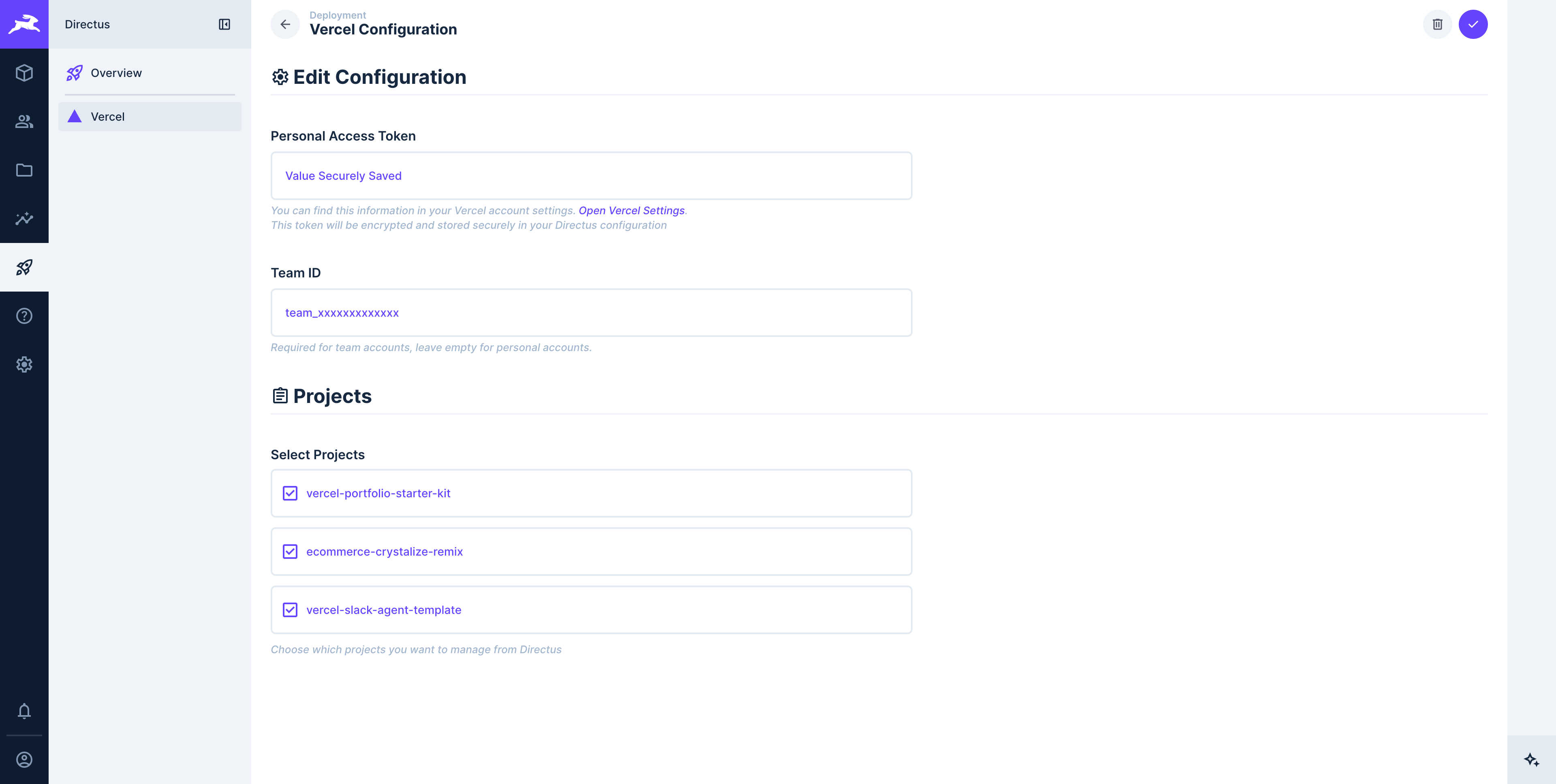
- From the Vercel Configuration screen, select which Vercel projects you want to manage from Directus
- Click Save to add the projects to the integration
- You can return to the Vercel integration settings at any time to add or remove projects
Removing Projects
Removing a project from the Vercel integration will also permanently delete all deployment history for that project from Directus. This action cannot be undone.
Removing a project from the Vercel integration will also permanently delete all deployment history for that project from Directus. This action cannot be undone.
View Your Projects
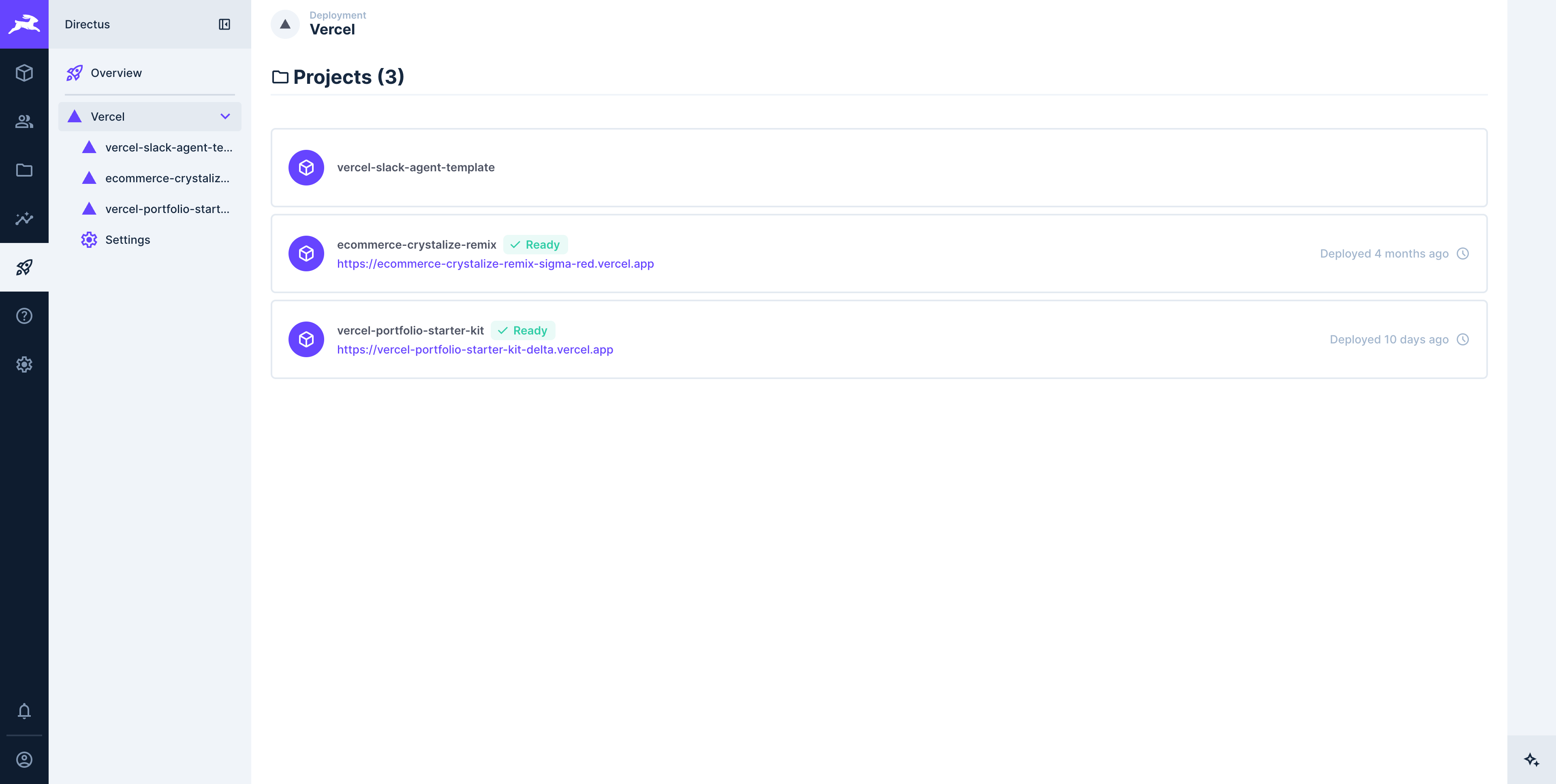
Once configured, your connected Vercel projects will be listed in the Deployment module. From here you can:
- View all connected projects at a glance
- Access deployment controls for each project
- Monitor deployment status and history
Permissions
Admin Access Required (For Now)
Currently, only admin users can trigger deployments and manage Vercel projects. Role-based permissions will be available in an upcoming release, allowing you to grant deployment access to specific users and roles.
Admin Access Required (For Now)
Currently, only admin users can trigger deployments and manage Vercel projects. Role-based permissions will be available in an upcoming release, allowing you to grant deployment access to specific users and roles.
Documentation
Trigger deployments, monitor build status, and manage your frontend projects directly from your Directus instance.
Get once-a-month release notes & real‑world code tips...no fluff. 🐰